
The Download Search Results tool allows land surveyors and their employee delegates to download ParcelMap BC search results.
Downloads are delivered to your LTSA Account Inbox and may be forwarded to an email address based on your forwarding options. Downloads will also be locally saved to your computer's Downloads folder.
Download Search Results
Make a selection using the search tools
Click the Download Search Results icon

Enter a File Prefix of up to 24 characters to specify your download. Omit special characters and spaces. This prefix will be used to name the download file.
Select a Coordinate System from the drop-down menu.
Choose either a CAD or GIS format option.
Click a checkbox to include one or more of the following in the download product. All are selected by default.
- Parcels (Lines and Annotation)
- Parcels (Points)
- Survey Controls (Points)
- File Format
- Drawing (.DWG)
If selecting the GIS format, the additional options will be available:
- Survey Controls (Points and Attributes)
- Survey Plans (Polygons and Attributes)
- File format
- File Geodatabase (.GDB)
- ShapeFile (.SHP)
An estimated file size will be displayed based on your selection
Click Download
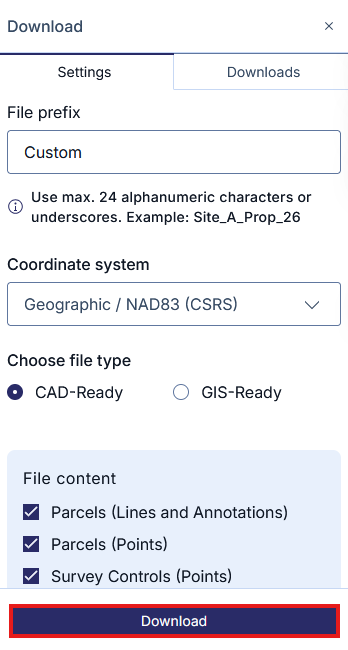
You can continue navigating and working in the map while your export is being generated.
Once fully processed, it will be delivered to your LTSA Account Inbox and email if forwarding options are set. Processing typically takes 5 minutes or less.
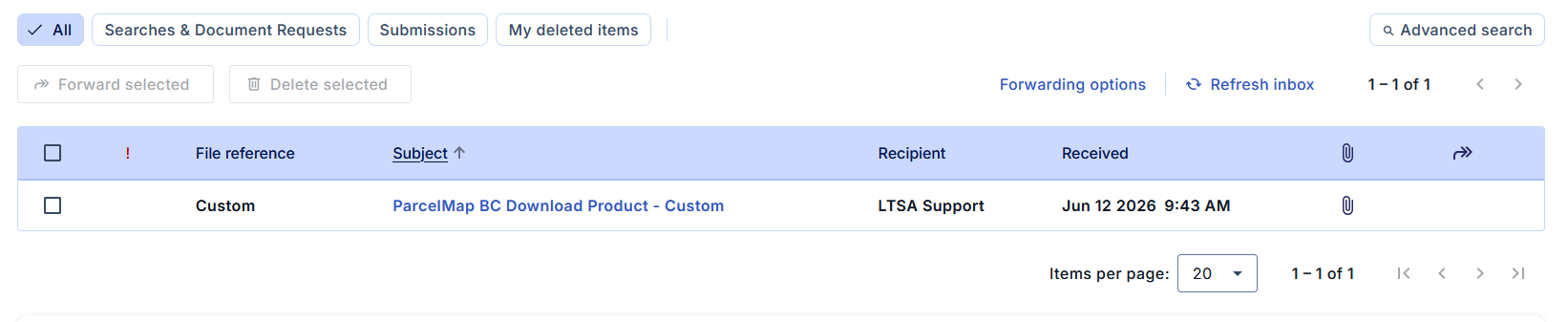
Additionally, navigating to the Downloads tab and clicking on the completed Download will also save a copy to your computer's default download folder.
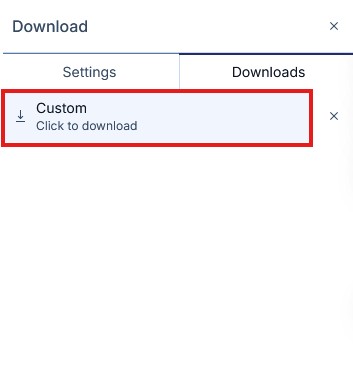
The download consists of a compressed file sent in .zip format. You will need to extract the .zip file first in order to view the contents using a compression tool of your choice. If your computer does not have a compression tool used for extracting files from .zip formats, you may need to download an additional application to extract the .zip file.
CAD Download Product
The CAD download product contains 3 files:
CAD Drawing File (DWG) - This consists of a either a Parcel or Interest line entity type.
Layer Name: PMBC_F_PARCEL_LINE CAD Entity Type: Lines, Arcs, 2-D Polylines Description: - Reserved for boundaries of the subject parcels of a plan (not including plans of easements, statutory right-of-ways, or other interests or charges)
- Excludes radial, tie lines and lines of historical parcels
Layer Name: PMBC_F_INTEREST_LINE CAD Entity Type: Lines, Arcs, 2-D Polylines Description: - Reserved for boundaries of the subject parcels of an easement, covenant, lease or statutory right-of-way plan
- Excludes radial, tie lines, ownership parcel lines and lines of historical parcels
Parcel Point Comma Separated File (CSV) - contains the coordinates of the subject parcel vertex points.
Attribute Name Description Point Number Unique ParcelMap BC point identification number Northing Northward-measured distance (y-coordinate) Easting Eastward-measured distance (x-coordinate) Orthometric Height Height above geoid Value will always be set to "0" Description PMBC estimated position accuracy (semi-major axis of error ellipse), at a 95% confidence level with prefix "+/-" - Survey Data Control Point Comma Separated File (CSV) - All control points shown on the Survey Plan, including Government Control Points (GCMs) listed in GeoNetBC, vertical benchmarks listed in GeoNetBC, and geo-referenced points derived by or referenced in the survey. This CSV file will be only available if control monuments were selected during the search.