
If the title you are searching is for a strata lot, you can also search for charges and legal notations affecting the common property.
Common property is that part of the land and buildings shown on a strata plan that is not part of a strata lot.
There is no charge to search and order the common property record.
Order Strata Plan Common Property
You can access the common property of a strata in one of the following ways.
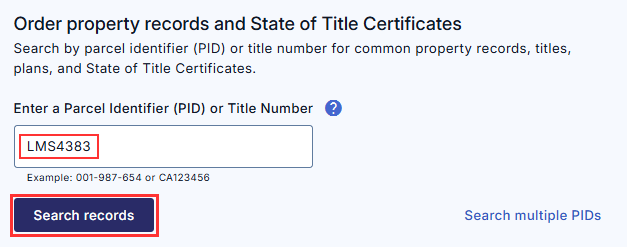
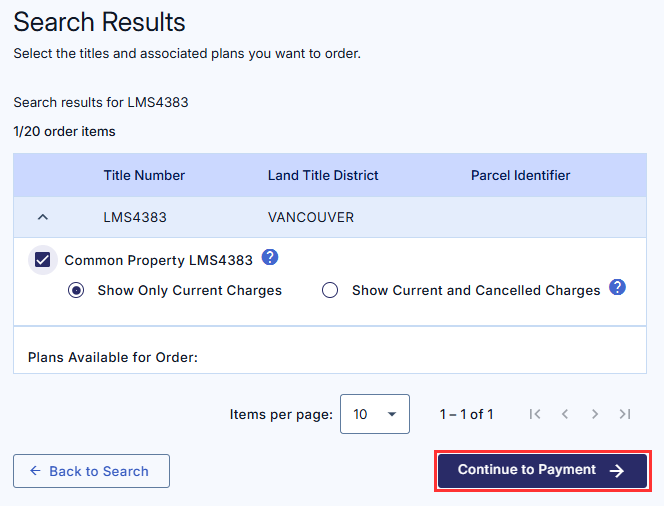
- From the Explorer home page, type the strata plan number in the field labelled enter a parcel identifier (PID) or title number and click Search records. (Preferred method)
A strata plan sets out the metes and bounds of the entire strata and has an alphanumeric number (i.e., BCP1234, LMS123, or EPP123)
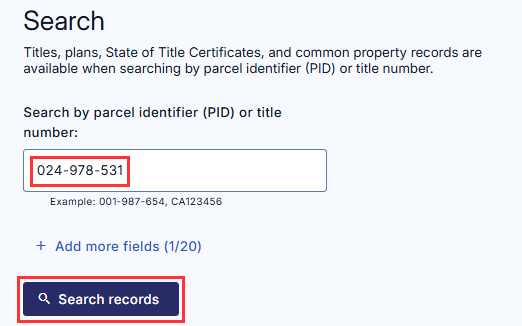
- Alternatively, from the Explorer home page, enter the strata lot's parcel identifier (PID) or title number and click Search records.
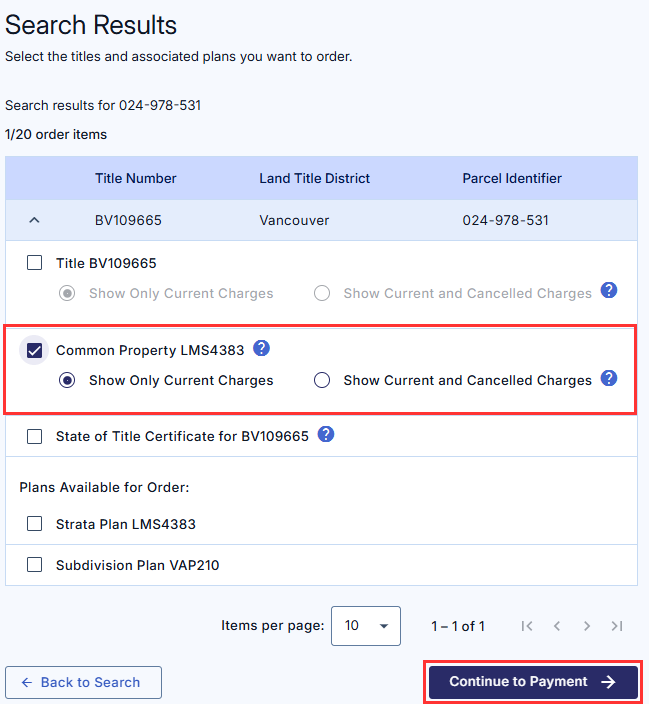
On the Search Results page, select the associated checkbox to order the common property record. If you do not see the strata plan common property title displayed you may have entered an incorrect plan number. Click Back to search to return to the home page where you can conduct a different search.
Select either "Show Only Current Charges (no cancelled charges will be displayed on the land title)" or "Show Current and Cancelled Charges". The default selection is current charges only.
Click Continue to Payment.
There is no charge to search and order the common property record.
The document will be delivered to the Explorer Inbox where it can be accessed for up to 7 days by clicking the link corresponding to the strata plan common property title. Your LTSA order will also be attached to the email receipt sent to the email address registered to your account.
For instructions on how to retreive items from the Explorer Inbox or your personal email, please refer to the Download Items help page.