LOTR Search Tutorial
This LOTR Search Tutorial video is a brief introduction to using Land Owner Transparency Registry Search. The following tutorial video was recorded on April 28, 2021.
Effective April 1, 2024, LOTR search is available free of charge.
How to use an LTSA account to search LOTR
Users with an LTSA account are able to order a LOTR search to get information on the following:
- Reporting Body's name
- Interest Holder's name
- Settlor's name
- City of Principal Residence (if applicable)
- Citizenship/Residency (if applicable)
- Type of interest
- Parcel Identifier
To access the LOTR search, roll over Searches and click LOTR Search:
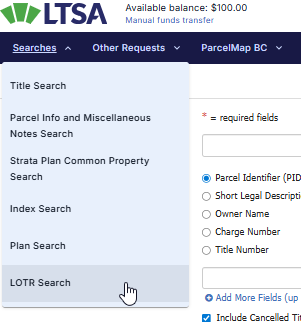
There will be three options available for the search:
- Name of Individual
- Name of corporation
- Parcel Identifier (PID)

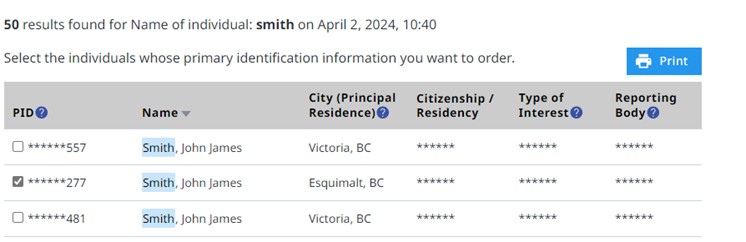
Once a selection has been made, an optional File Reference may be added before clicking on the Order to View button. A summary of the order along with the total amount will also be displayed.
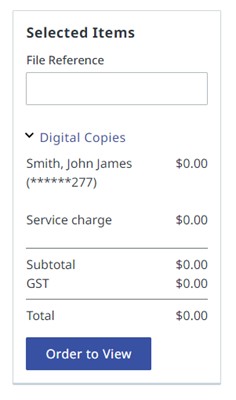
A confirmation message will appear after the order has been made. Click on the hyperlink as illustrated below to view and download the order. All LOTR public search orders can be retrieved from the Order History link on left. To return to the LOTR search page, use the Search link on the left.
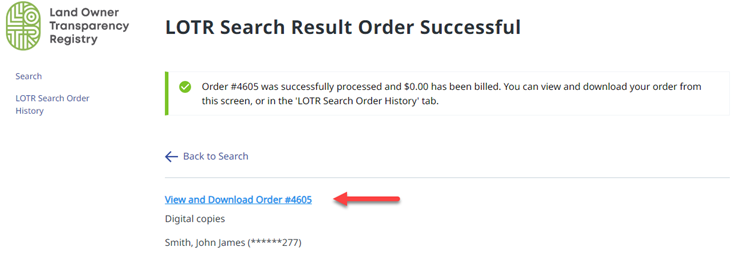
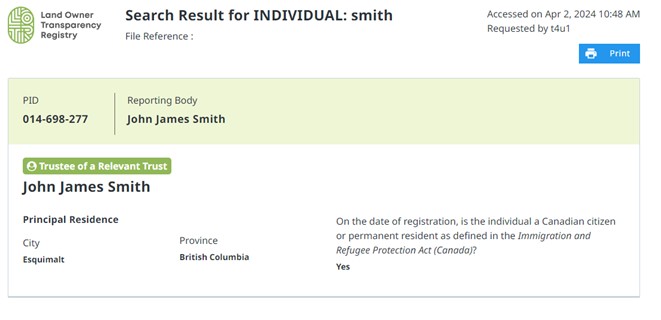
Below is an example of what the order details would look like.
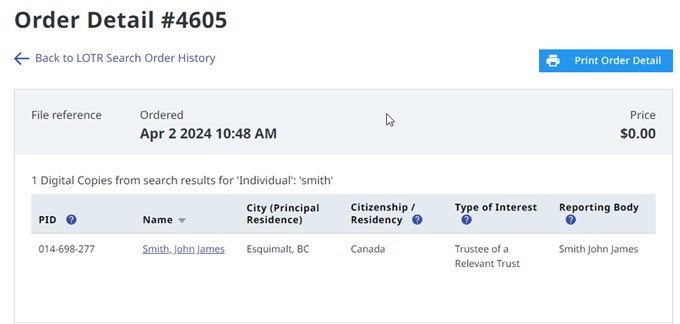
To view and print the order, click on the name and the order will be displayed as below: