
LTSA accepts Member Credentials as a method of verifying professional standing to e-sign Web Filing forms. Using a Member Credential to e-sign is currently being piloted by select lawyers using the Lawyer credential issued by the Law Society of BC.
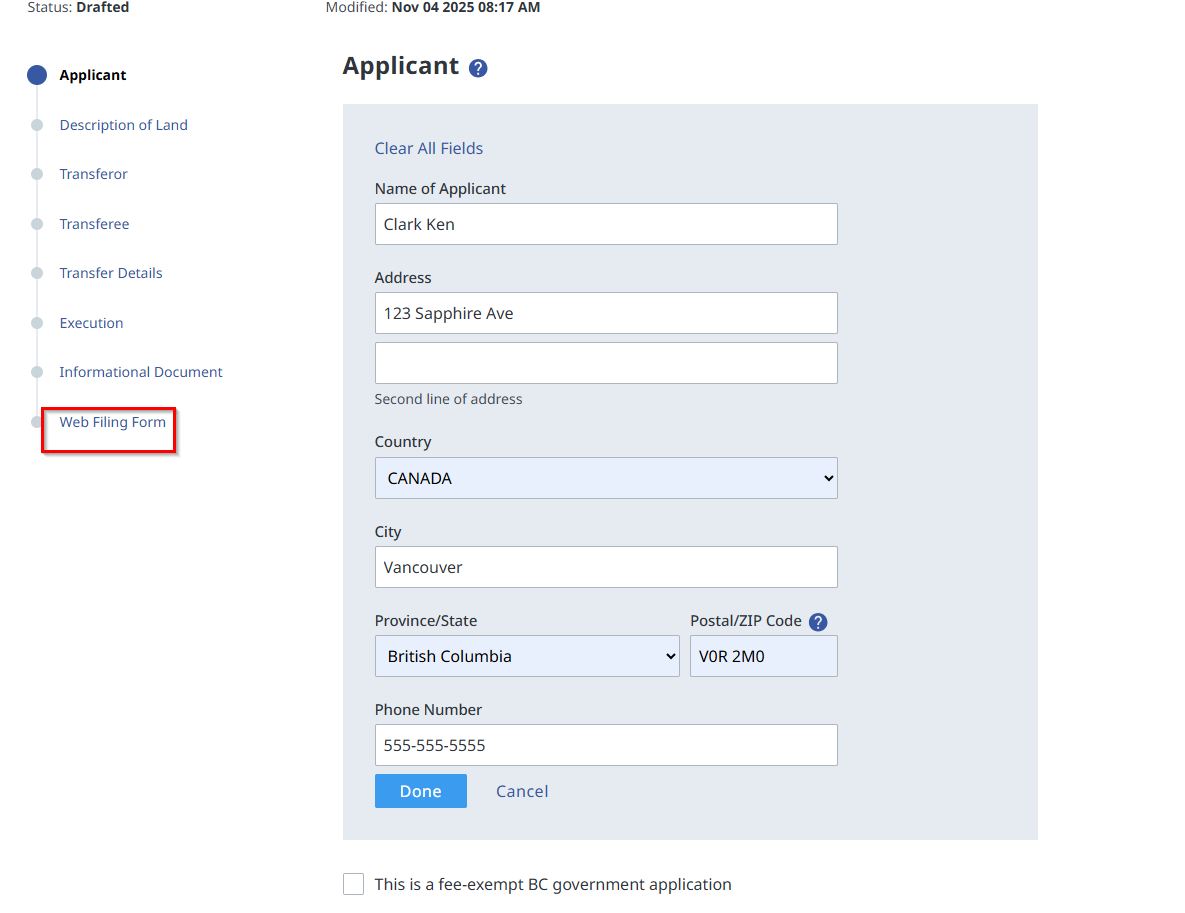
Once you have completed and validated your Web Filing form, the last step will be to e-sign it. You can also navigate to where you e-sign by selecting Web Filing Form from the navigation list on the left of the form.
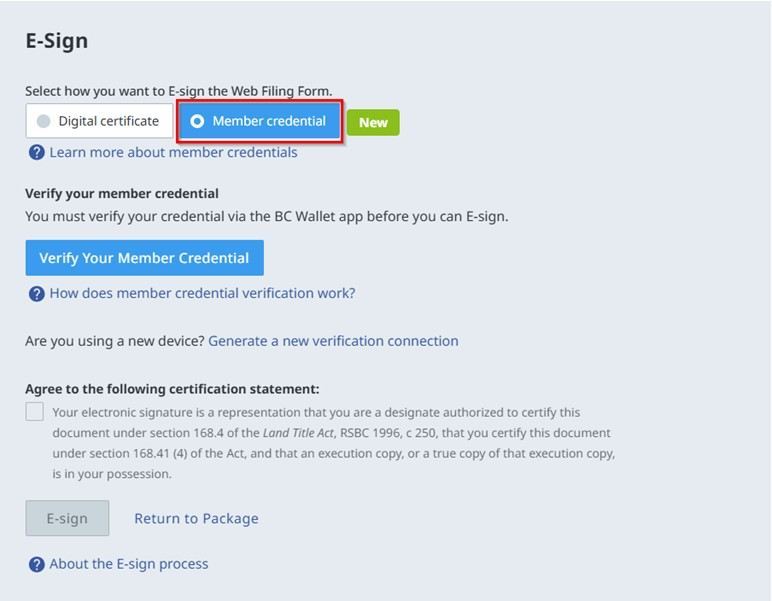
Step 1: Select Member credential
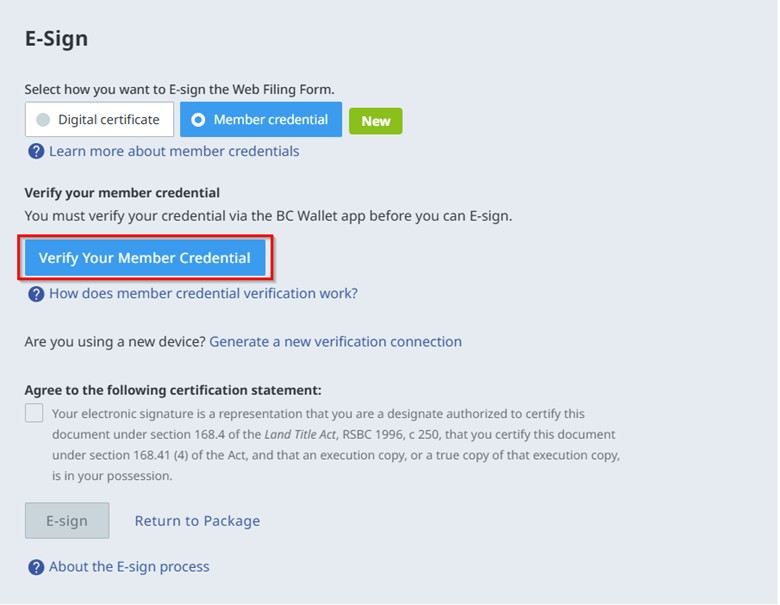
Step 2: Click Verify Your Member Credential to generate a QR code on your computer (displays the first time)
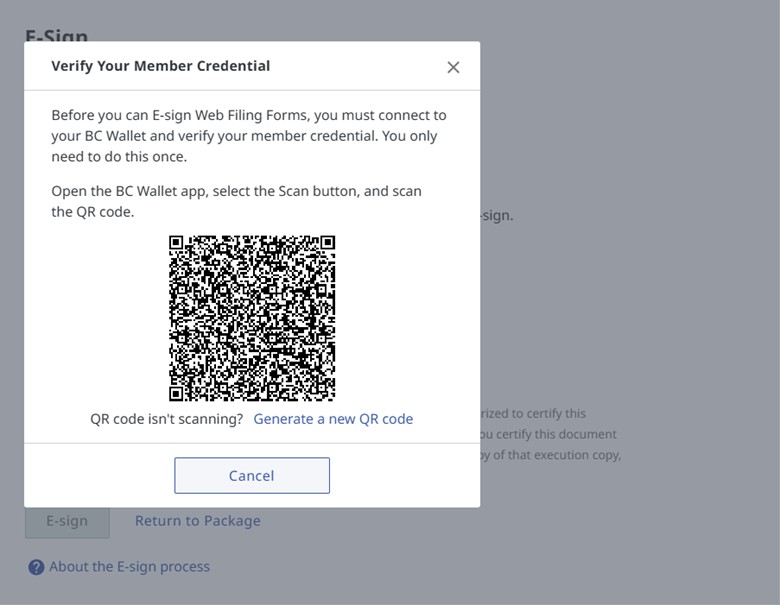
Step 3: Verify your Member Credential using BC Wallet
On your mobile phone, open BC Wallet and tap Scan
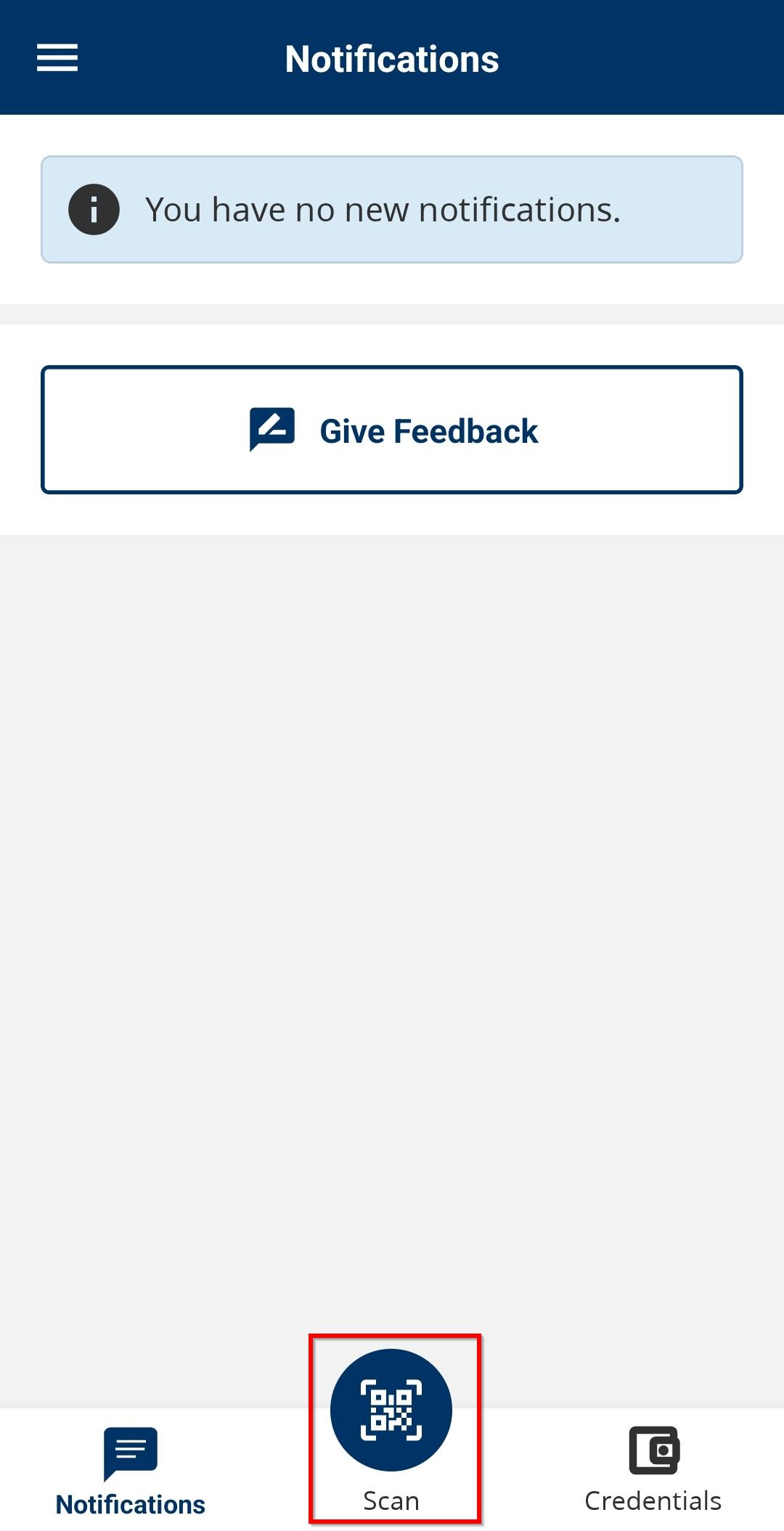
While holding your phone, position it close to the computer so the QR code appears in the digital viewfinder. Scan the QR code.
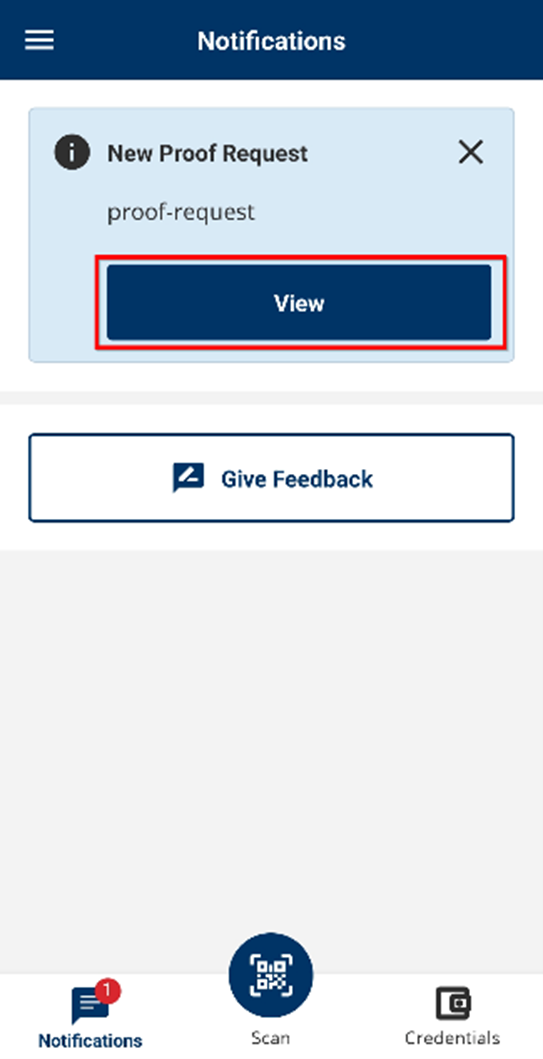
Once the scan is successful, the BC Wallet will automatically display a proof request for you to share information.
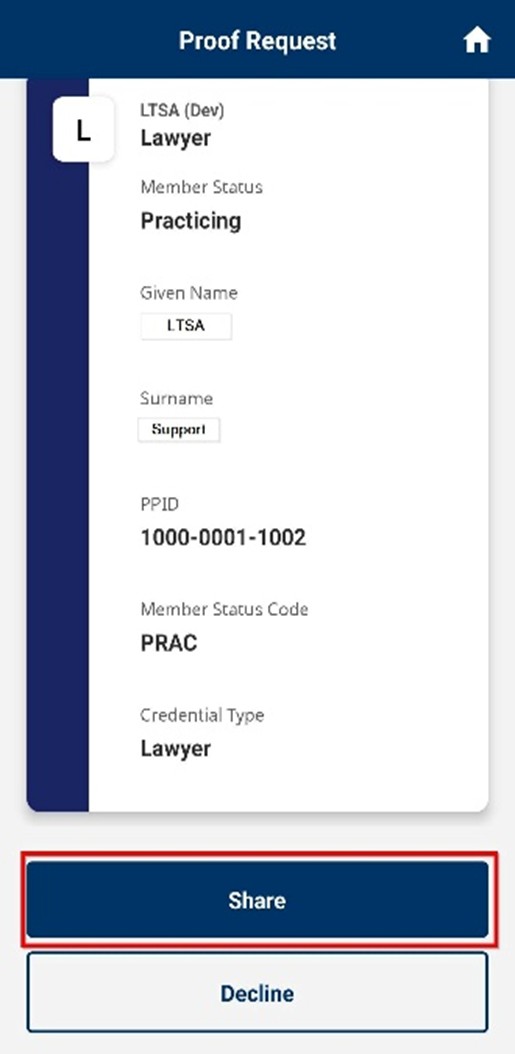
View the proof request found in your notifications and tap Share.
To re-verify your Member Credential, just open your BC Wallet and tap Share on the proof request.
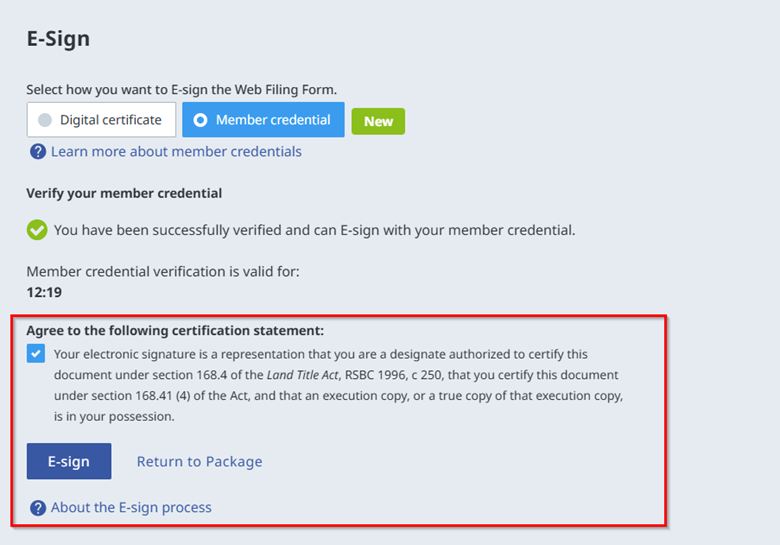
Step 4: E-Sign with your Member credential
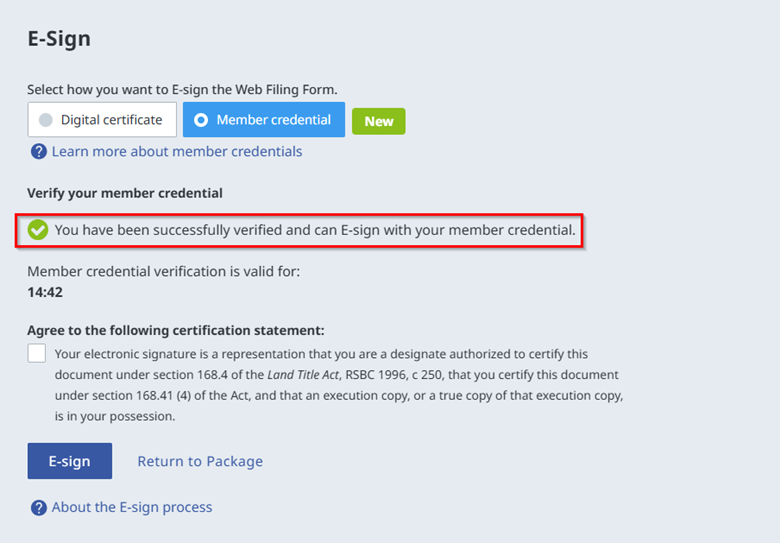
A green checkmark will appear once you have been successfully verified.
- Agree to the Certification Statement and click E-sign.
Your verification remains active for 15 minutes. You can sign forms within the same package or other packages. After 15 minutes, you’ll be prompted to verify again. Click Verify Your Member Credential in Web Filing, then view the proof request in BC Wallet and tap Share
If you have a new mobile phone, you will need to re-verify the Member Credential on your new phone with Web Filing. Once you connect your new phone, the previous connection is broken. Ensure that your Member Credential has been added to the BC Wallet on your new mobile phone and follow the steps to scan the QR code and share your credential.
Connecting to a new mobile phone
Click Generate a new verification connection in the E-Sign section of Web Filing
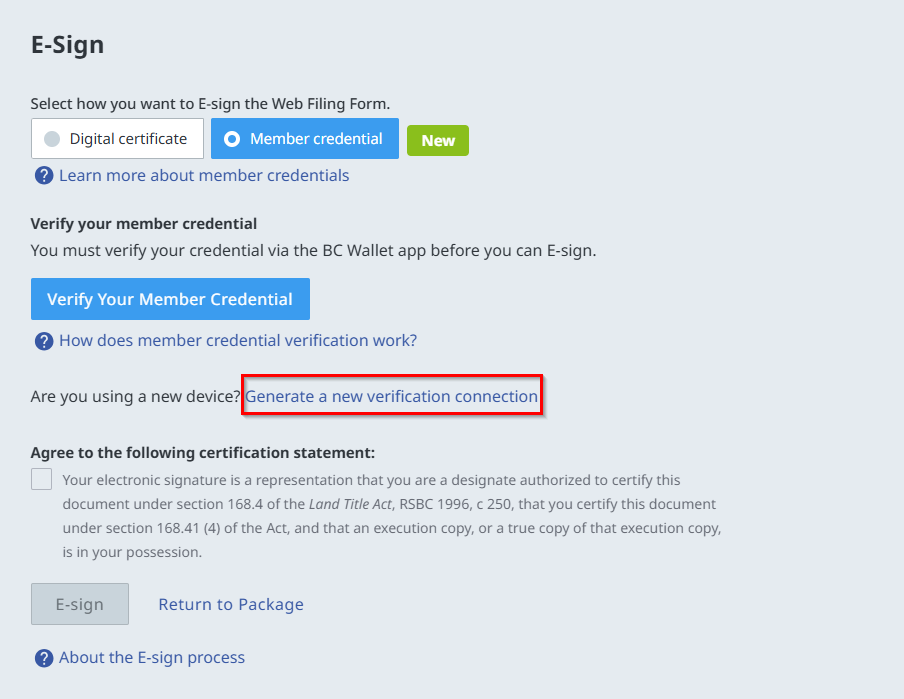
- Next, follow Steps 3-4 to verify your member credential with BC Wallet and e-sign your form.