
On This Page
You may need to update the information on your land title and/or BC Services Card to obtain a connected status.
Property Connection Status Overview
Your property connection status shows whether a property is linked to your BC Property Connect account. When a property is connected, property alerts are active.
BC Property Connect uses information from your BC Services Card to match you to the property title record.
Your property can have one of the following connection statuses:
- Connected
- Action Required
- Disconnected
You can check your property connection status at any time. To view your status, sign in to BC Property Connect account and view the property card on the homepage.
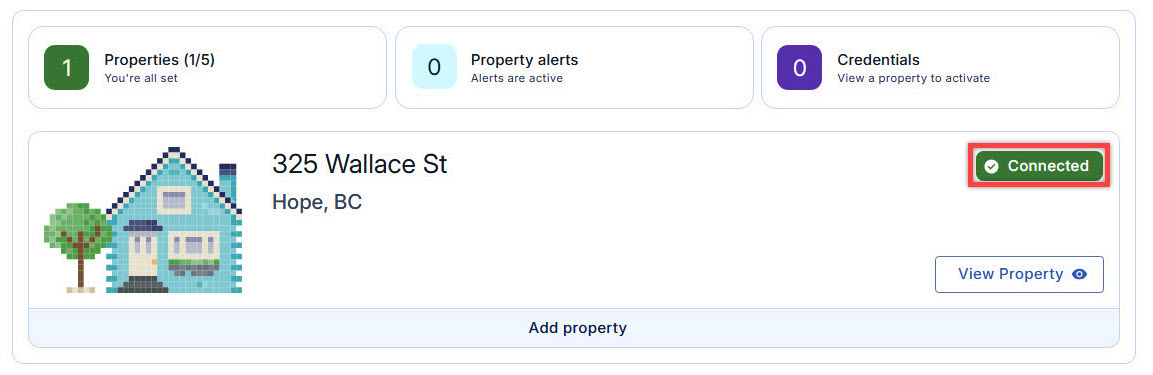
Connected Status
A Connected status means your property is linked to your BC Property Connect account and property alerts are active.
If a pending activity is submitted to your property title, you will receive a new property alert email. To view the details of a property alert, sign in to your BC Property Connect account. Review the alert and take action if needed.
If you receive an alert about an activity you don’t recognize, review the alert carefully. If you need help understanding the activity or what it means for your property, consider hiring a professional who can help explain the details.
View a property alert
When you receive an alert, you can view it for the connected property in BC Property Connect.
- Sign in to your BC Property Connect account.
Select View Property.
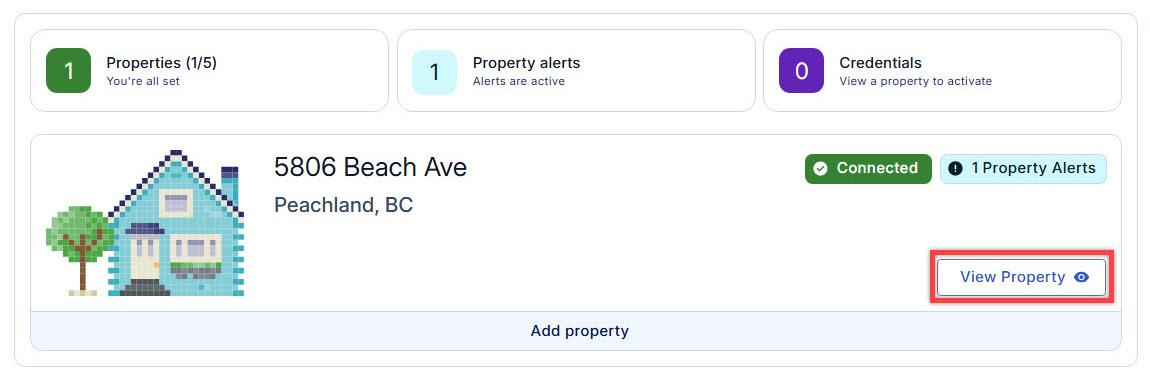
Select View Property to view information of the property Select the arrow to expand the property alert. The alert shows the alert type and the related document number or plan number for the pending activity submitted to the property title.
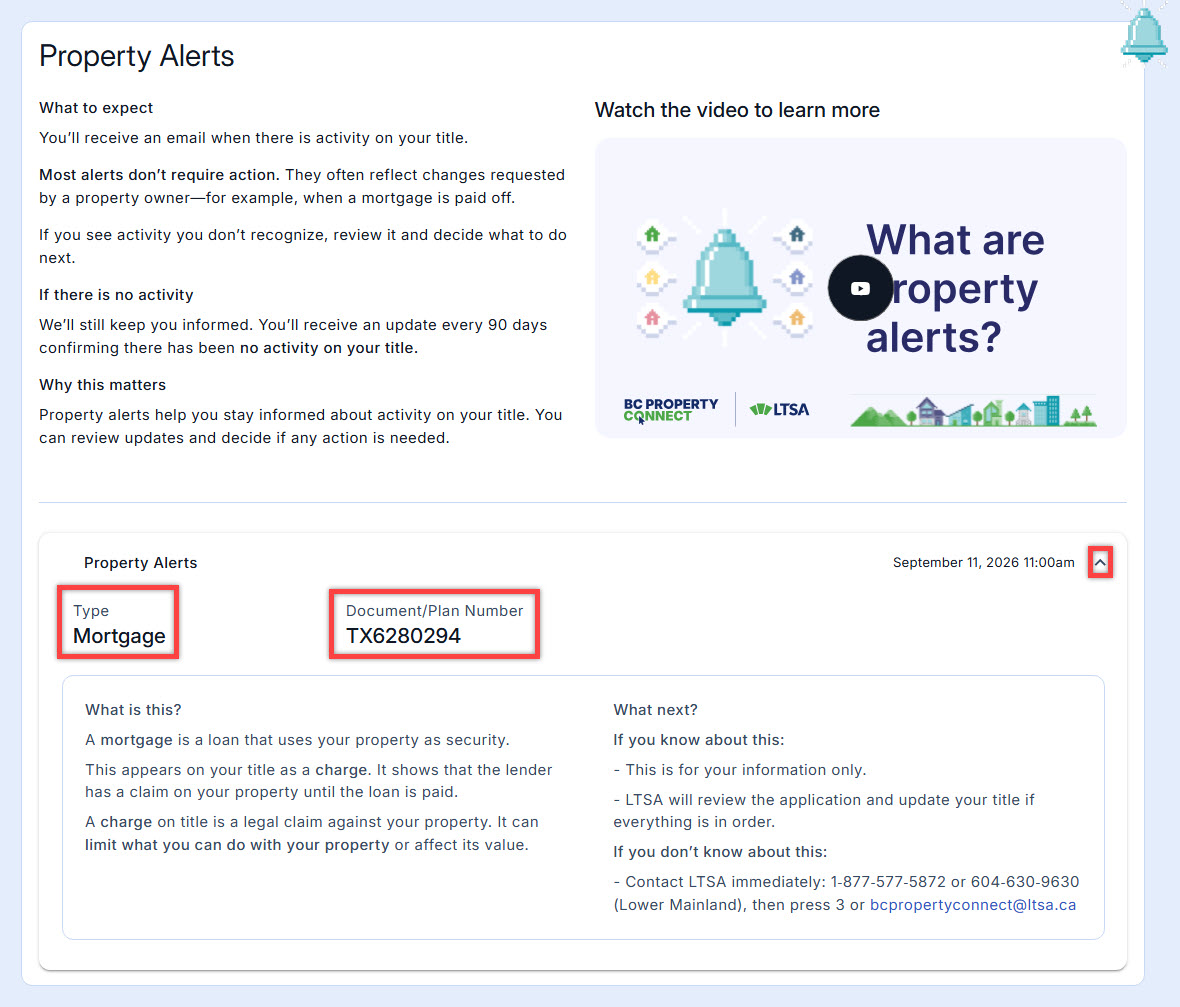
Property alert shows the alert type and related document or plan number Review the alert for more information and recommended next steps.
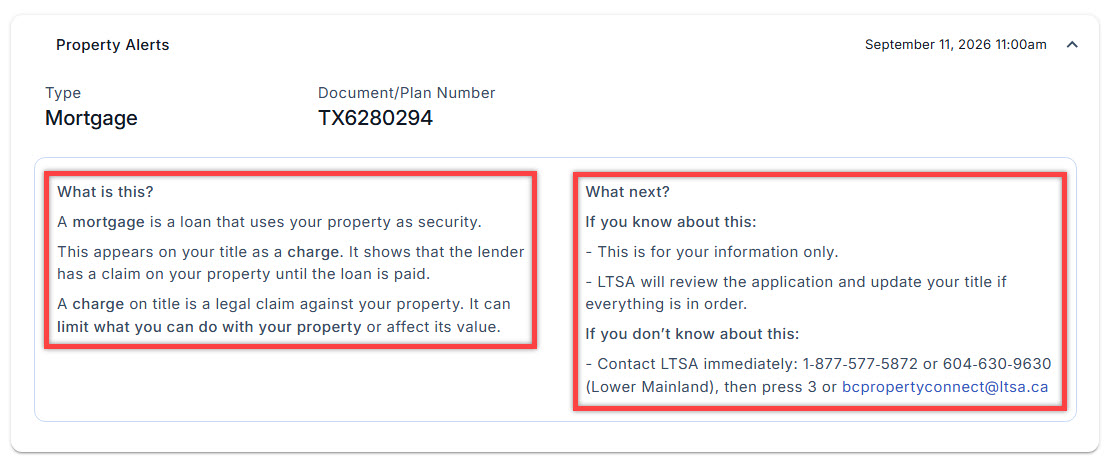
Property alert tab contain information of the alert and the next step
If you don’t recognize the activity, review the information in the alert. If you need help understanding the pending activity or what it means for your property, consider contacting LTSA or consulting a legal professional.
Get a Property Owner credential
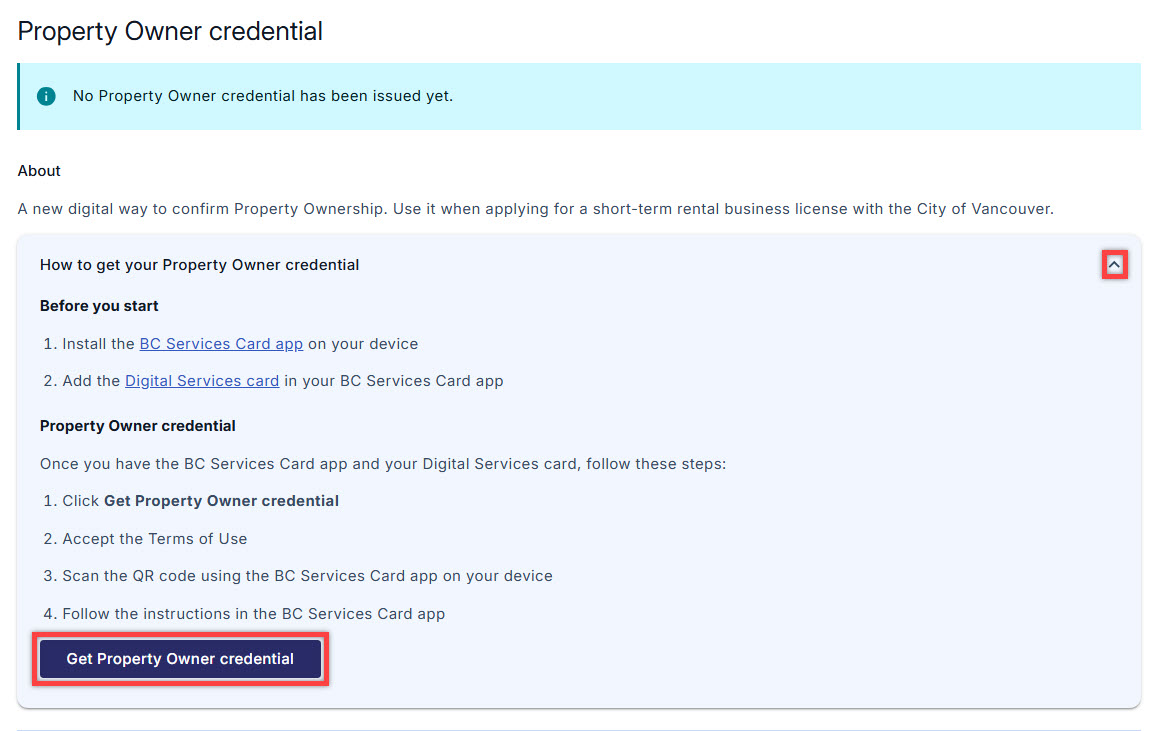
You can request a Property Owner credential for your connected property.
- Go to the Property Owner credential section.
- Click the arrow to expand the tab and select Get Property Owner credential to request a Property Owner credential. For more information, see the Property Owner credential page.
Emails you may receive
When your property is connected, you may receive these system emails:
Property alerts are active
- Confirms that property alerts are active for your property.
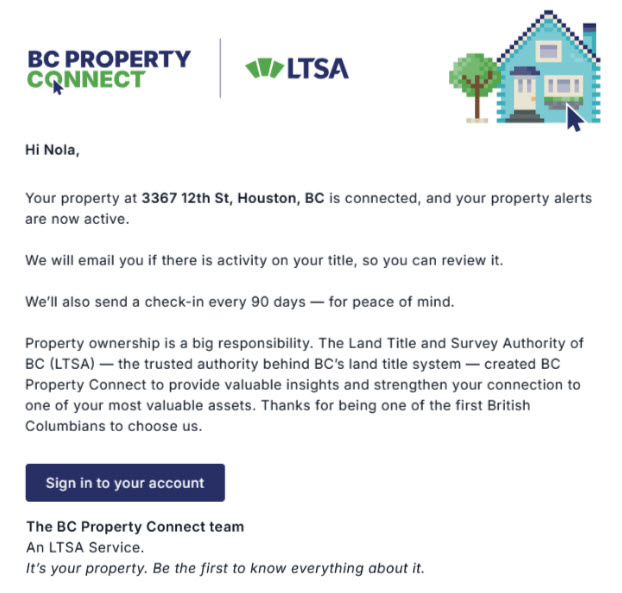
Email Notification: Property alerts are active New property alert
- Notifies you when a pending activity has been submitted to your property title.
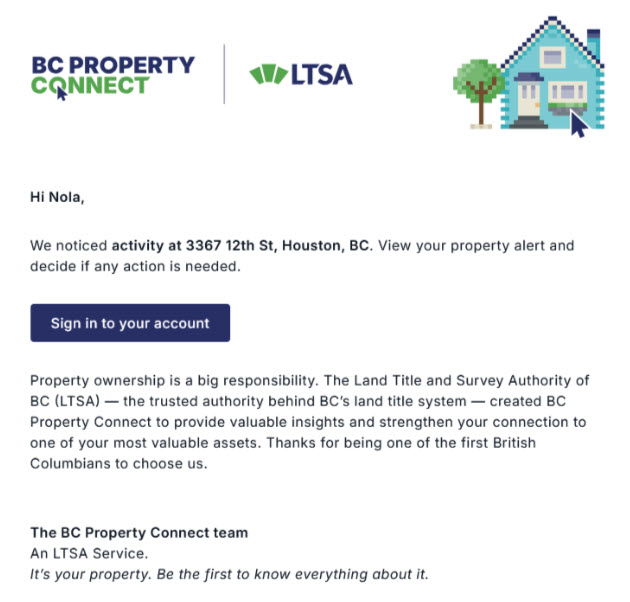
Email Notification: New property alert 90‑day check‑in
- Confirms that no activity has been recorded on your property title in the past 90 days.
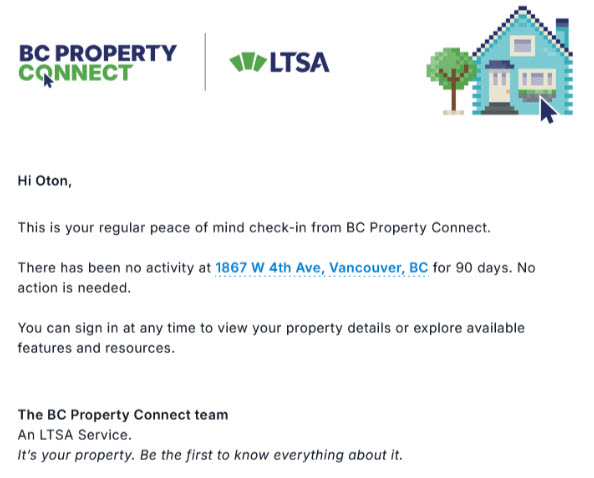
Email Notification: 90-day check-in
Action Required Status

An Action required status means your property connection is in progress and property alerts are not yet active.
You’ll receive an email with instructions and links to continue connecting your property. You can also find these instructions when you sign in to your BC Property Connect account.
Depending on the issue, you may need to update your information in your BC Services Card account, on your property title, or both.
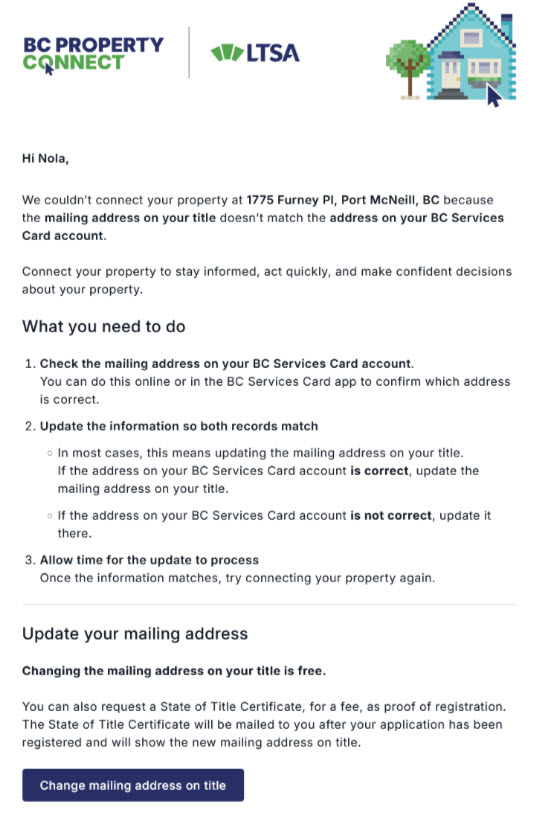
Retry your property connection
- Sign in to your BC Property Connect account.
- After you have updated your BC Services Card or land title information as instructed, select View Property and select Connect property to retry the connection process.
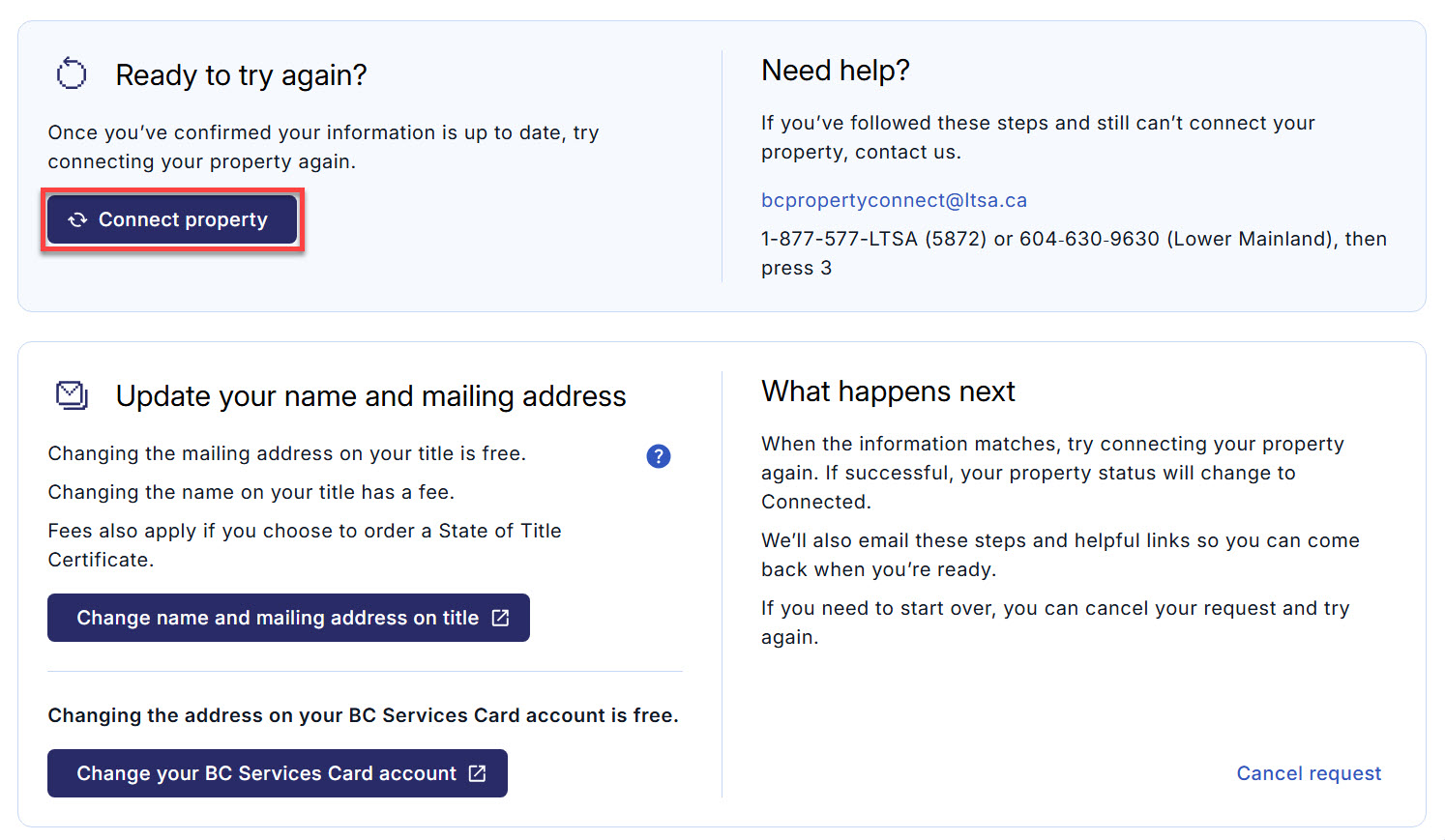
- If you no longer want to connect the property, select Cancel request.
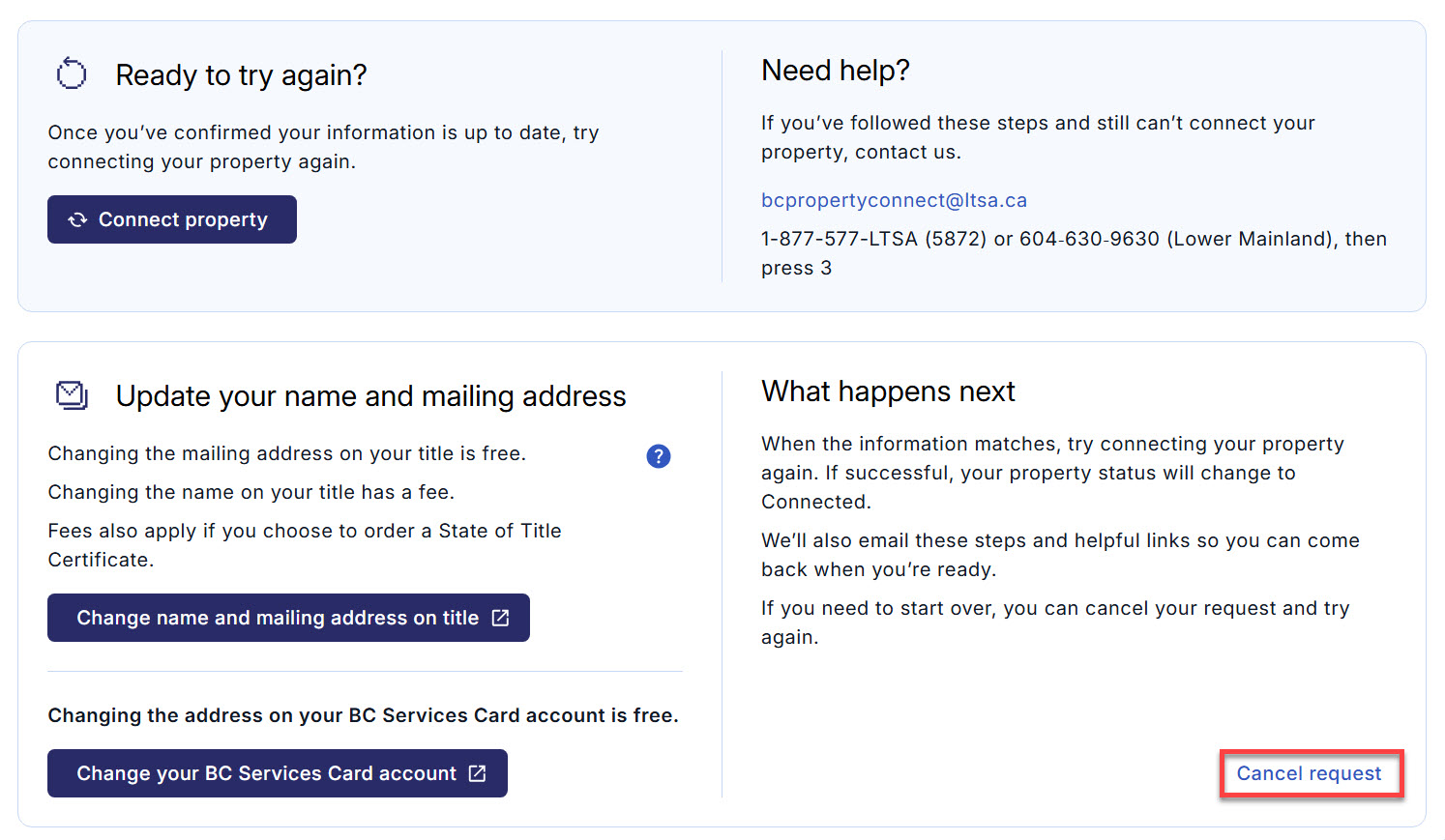
Disconnected Status
A Disconnected status means your property was previously connected to your BC Property Connect account, but a change has been detected on the property title. For example, the change may be related to ownership or the registered owner's name.
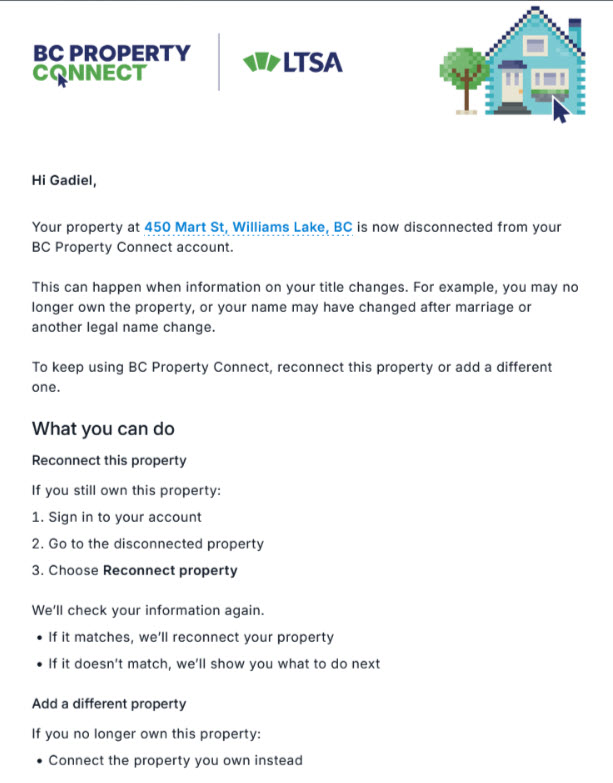
When your property is disconnected, property alerts and the Property Owner credential are disabled. You’ll receive an email letting you know that your property has been disconnected.
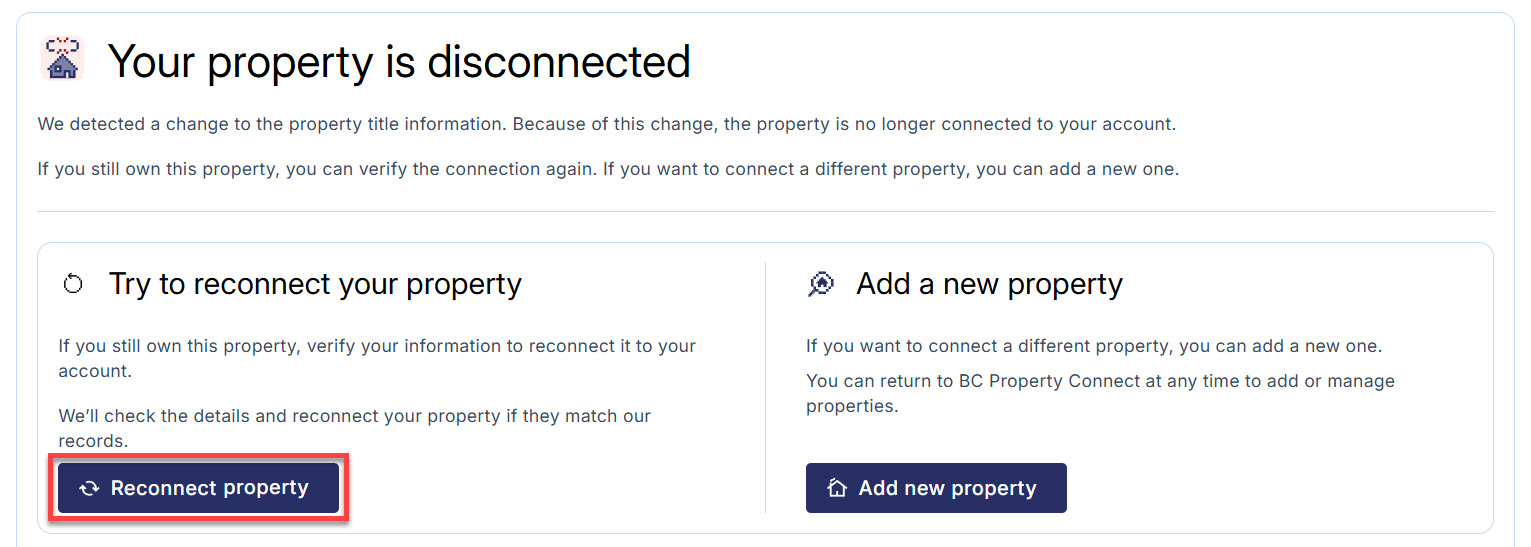
- If you are still the owner of the property, sign in to BC Property Connect, select View Property and select Reconnect property to reconnect.
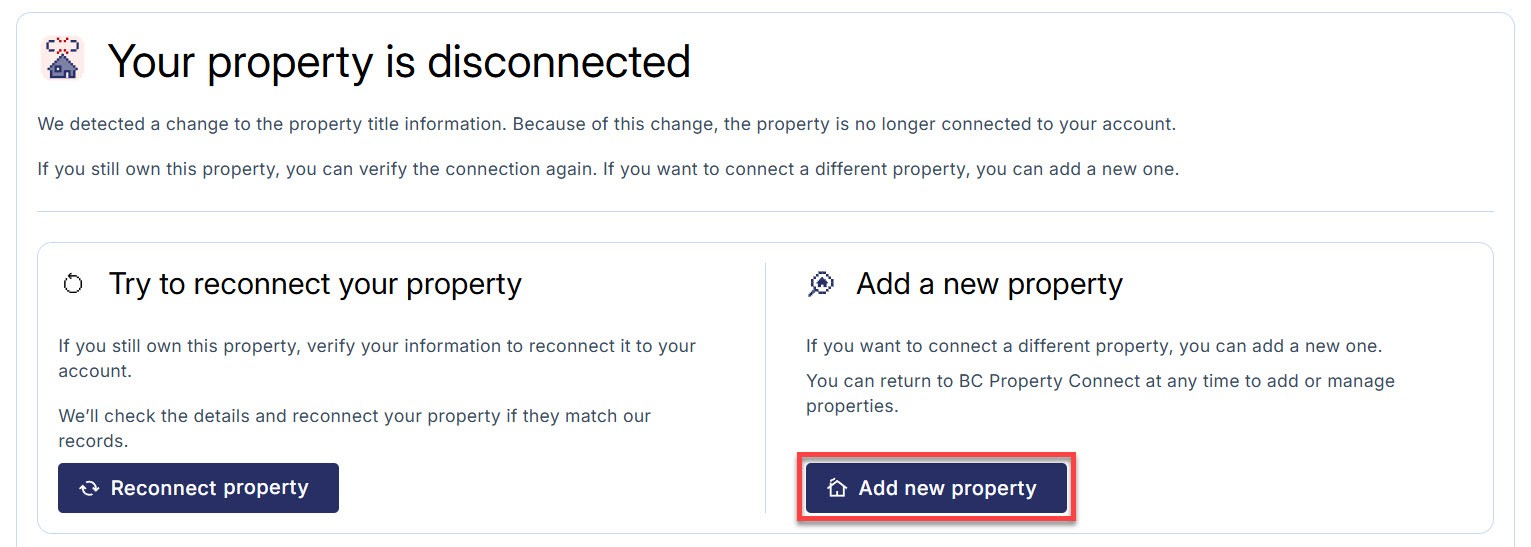
- If you sold the disconnected property and purchased a new one, select Add new property to add your new property to your account.
- After you reconnect the property or add a new property, your connection status will update based on the result:
- Connected if the connection is successful.
- Action required if information update is needed.