
To upload multiple parcel identifiers (PIDs) to one transparency declaration click on the Save Progress button to first save the Transparency Declaration and get a filing number assigned.
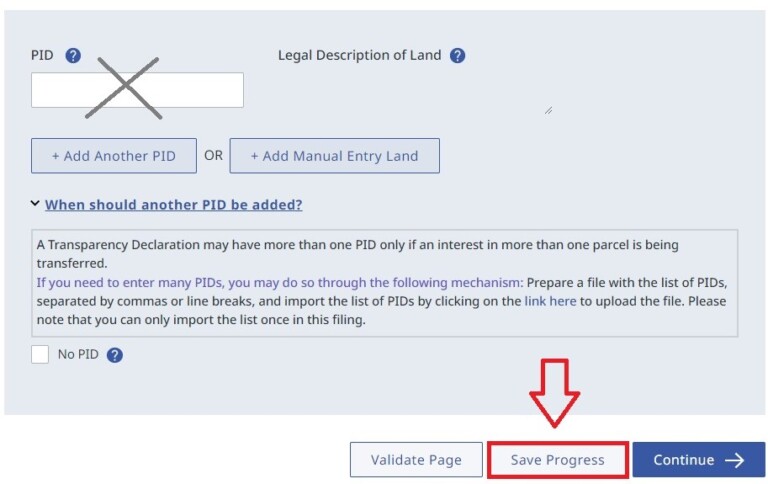
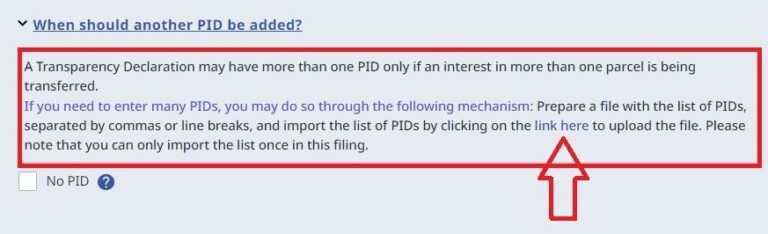
Once saved, click on the link in the help section at the bottom of the screen where PIDs are entered. Do not manually enter any PIDs.
Select Choose File to upload a .CSV or .TXT file. No other formats can be uploaded.
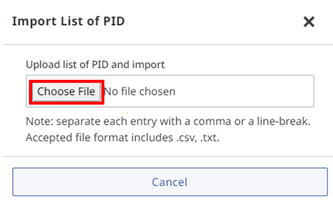
As this is a one-time link, ensure all your records are added to the .TXT or .CSV file you are uploading. You are now ready to proceed with your filing.
LOTR Guide