
Under s. 10.2 of LOTA, transferees may file a new transparency declaration to correct or change information in a previously filed declaration.
Historic filings cannot be corrected.
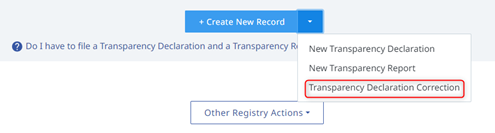
From the LOTR Filings section, a transparency declaration correction can be created either by clicking on the "Create New Record" button and choosing the appropriate response or by clicking on the drop down arrow selection for "Transparency Declaration Correction".
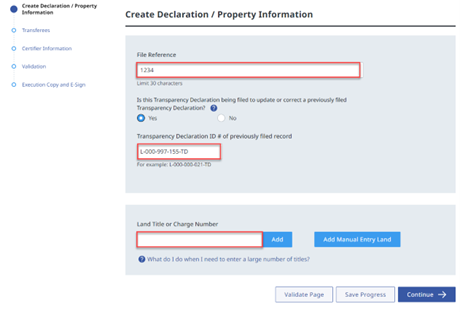
Enter a File Reference and the Transparency Declaration ID # of the previously filed transparency declaration. Add the Land Title or Charge Number. Press the "Continue" button to complete the rest of the form.
If the land title application is in pending state, enter the pending title application number in the Land Title or Charge Number field.
Enter the Given name(s) and Last name of the transferee and indicate if they are a reporting body.
If they are a reporting body, a new Transparency Report is required and will be automatically created to accompany the correction to the Transparency Declaration.
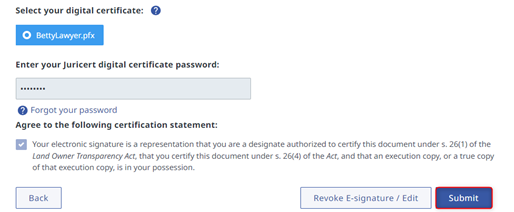
Certify the Transparency Declaration by completing the Certification section. Once the corrected form has been certified and E-signed, click on the "Submit" button.
Once the Transparency Declaration correction is submitted, the previously filed transparency declaration is marked as historical. Current and historical filings are displayed in customer's "Filed" dashboard.