
To file a Notice to the Administrator, legal professionals must use an LTSA Enterprise account, and individuals must use an LTSA Explorer account.
For LTSA Enterprise users:
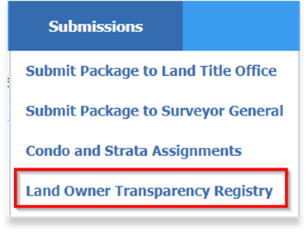
To file a Notice to the Administrator, navigate to the Submissions tab and click Land Owner Transparency Registry:
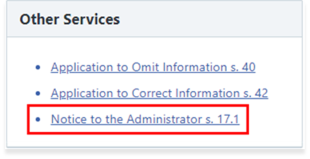
Then select Notice to the Administrator s. 17.1 under the Other Services section to start the filing process.
For LTSA Explorer account users:
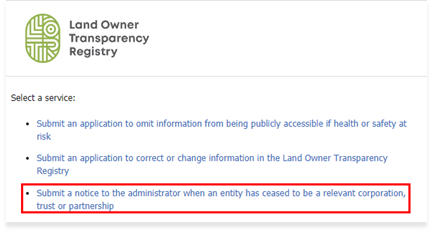
Select Submit a notice to the administrator when an entity has ceased to be a relevant corporation, trust or partnership to start the filing process.
LOTR Guide