
Use this guide when correcting a Survey Plan Defect where the original plan was not created in SurveyHub
- From the SurveyHub main page, click the + Create Survey Plan button
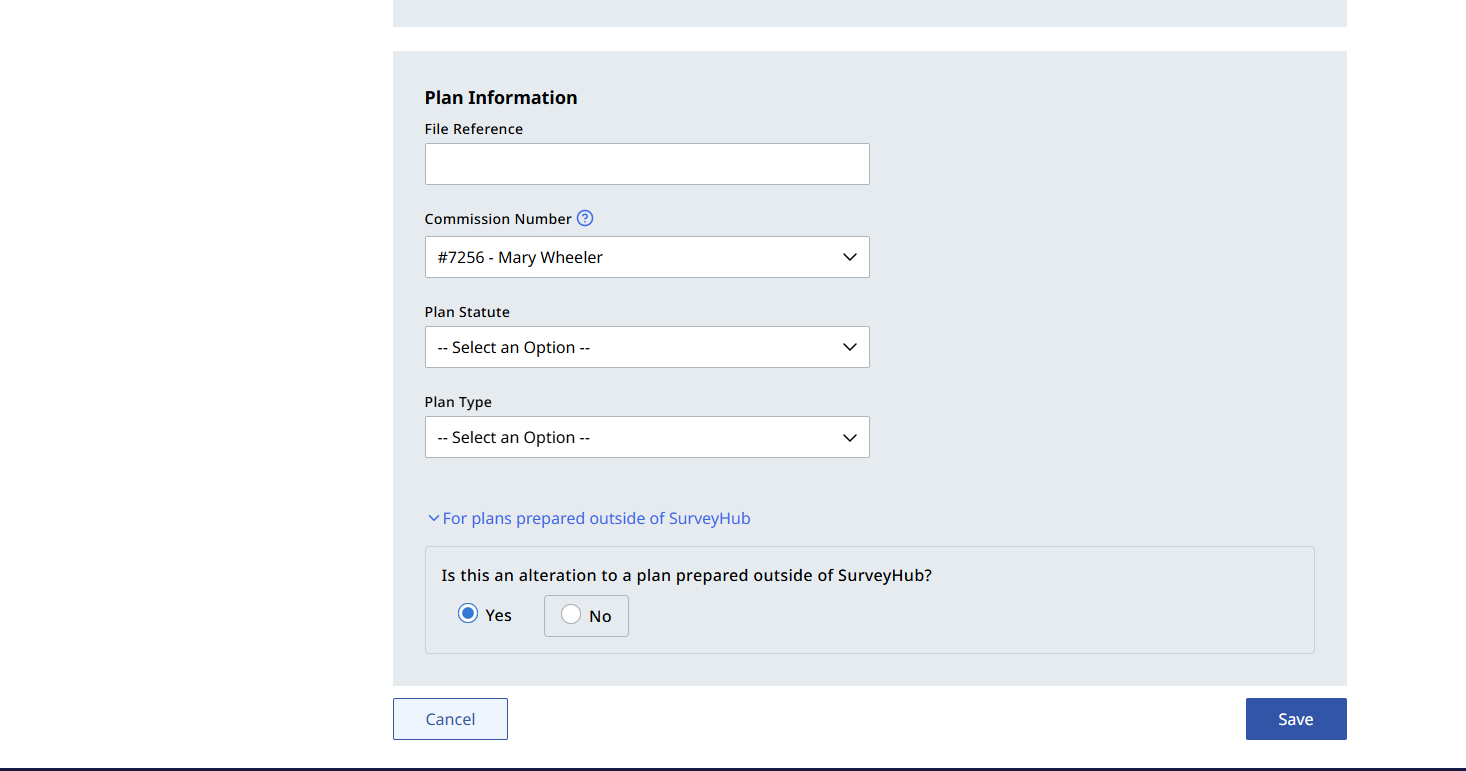
Fill in the necessary information and at the bottom of the page, click on the link For plans prepared outside of SurveyHub and select "Yes"
Complete the plan alteration section by providing the alteration information and the previous control number
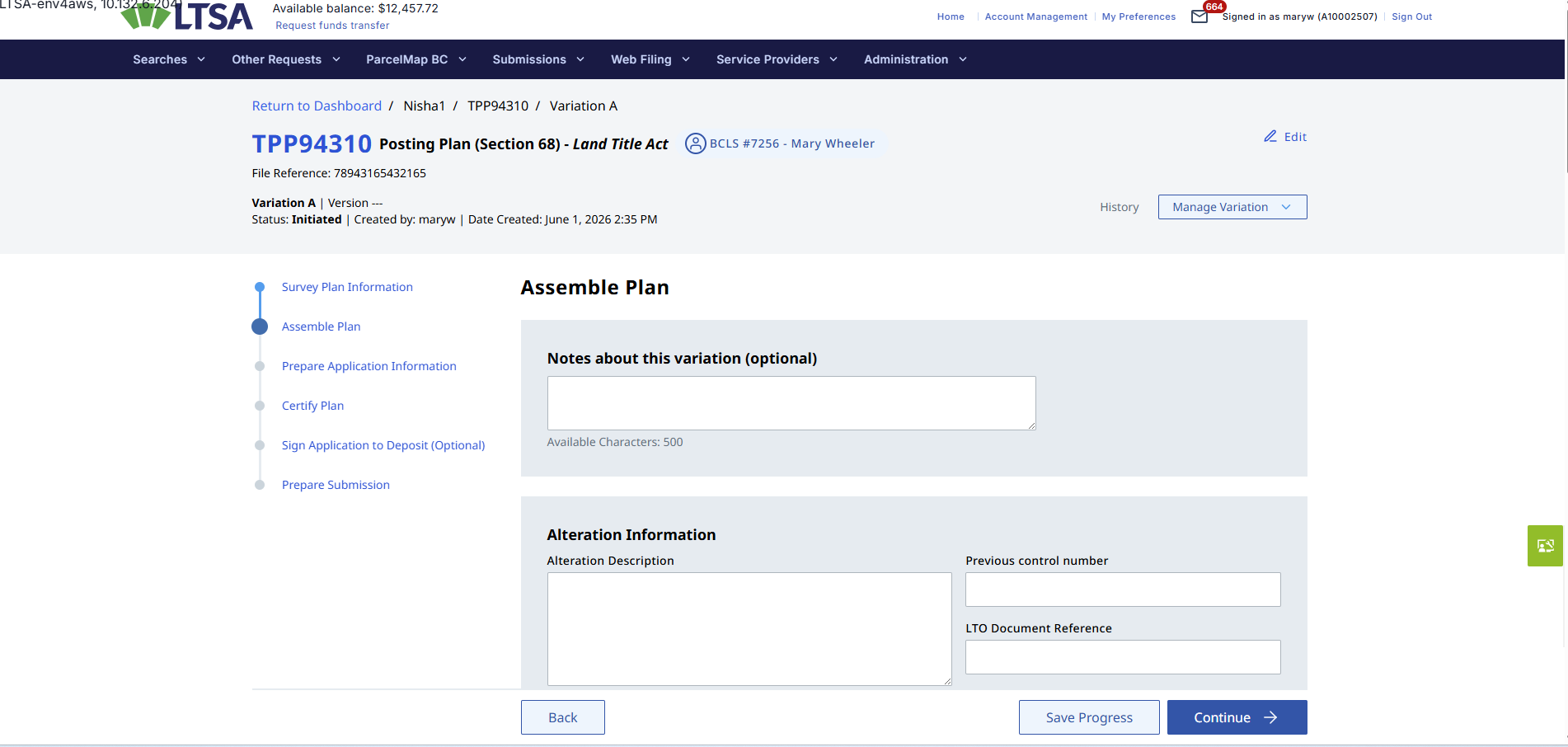
The LTO Document Reference is the number stamped at the top right of the DSPL form submitted through EFS
The rest of the workflow is the same as assembling a plan for certification in SurveyHub and submitting the Plan Alteration via EFS
Once the SPC Alteration has been E-signed, a new control number will be generated. This form then needs to be downloaded from SurveyHub and uploaded to the defected EFS package by clicking the "Add" button for the defected SPC.